CASE STUDY · 5 MIN READ
KLINGER Sweden wanted to try AI in the warehouse. Five weeks later, it was live.
Malin Kahn, Head of Operations at KLINGER Sweden, was curious about what AI could do for the warehouse workflow. The company plans to move to a new ERP system in 2027, but wanted to see what could be done right now to simplify how export orders are handled.
Five weeks later, the first export shipment went through a new AI-driven warehouse app, built to work alongside the system KLINGER Sweden already uses.
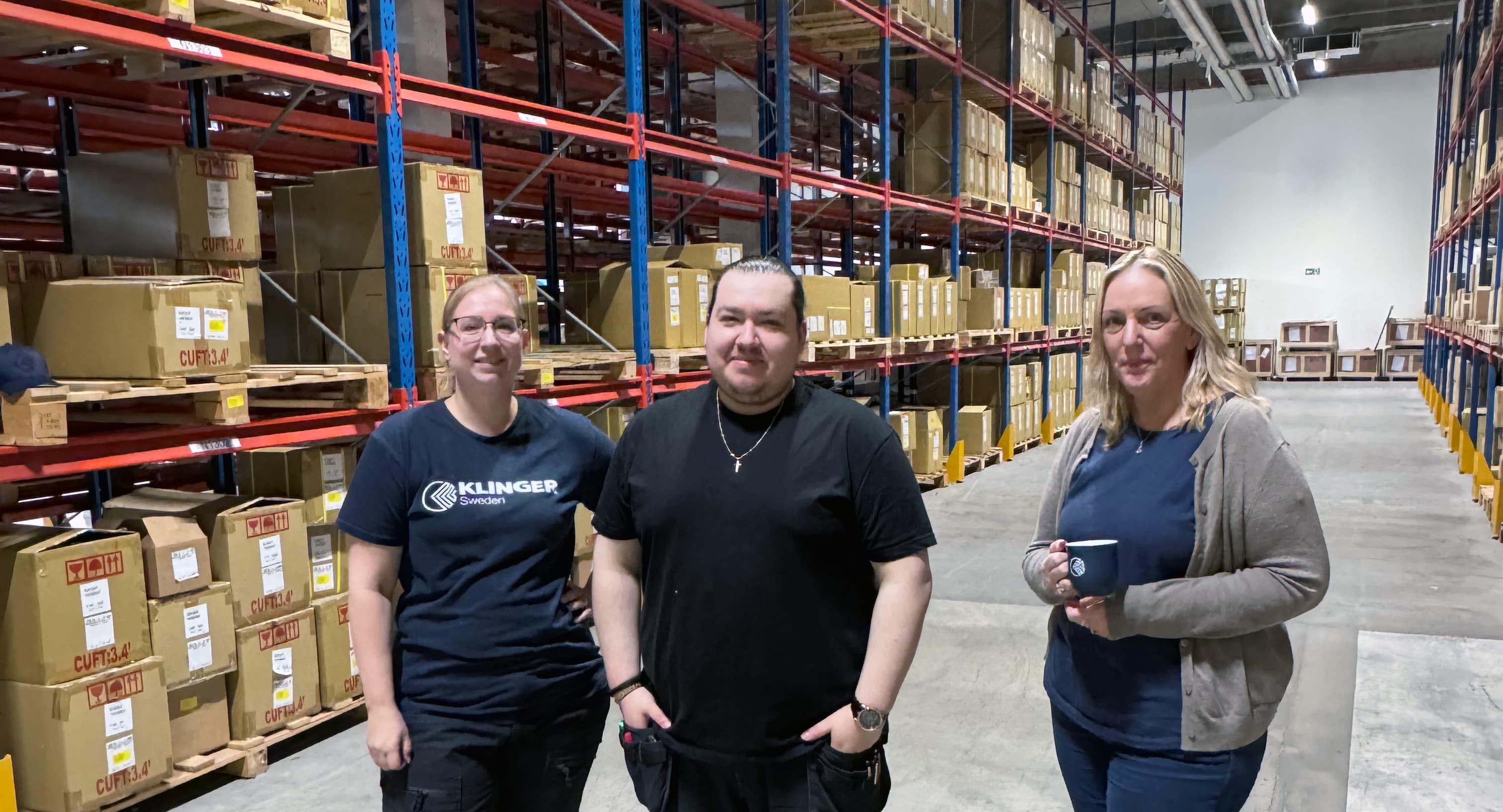
The short version
KLINGER Sweden wanted to digitize a manual workflow in export packing without first replacing or rebuilding its ERP system. Nordvy built an app in which AI reads the delivery notes already in use, warehouse staff record the packing digitally, and the export documents are generated automatically.
Five weeks after the project started, the first live shipment went through the app. Since then, 21 export shipments with nearly 400 delivery notes have gone through it. The ERP system hasn't needed any changes.
A new way of working at the packing station
The packing station is where you find out whether a solution like this actually works.
Christian, known as “Chrille,” is one of the people who pack the company's export shipments. The packing details used to be written on the delivery note and then copied into the export documents by hand. Now the packing is recorded directly in the app.
“It saves a lot of time when the packing list and certificate are created automatically, instead of us making them manually in Excel.”
The opportunity: a better workflow without switching systems
Every export shipment needs a packing list and a certificate, among other documents. The core information lives in the ERP system, Microsoft Dynamics NAV, and travels to the warehouse on the delivery note.
Other details only emerge during the packing itself, such as which batch was picked, which package the goods went into, and what the finished pallet weighs.
Previously, those details were jotted down on the delivery note and later keyed into the packing list, certificate, and package label. It worked, but Malin saw a chance to make the workflow simpler and more digital.
“The goal is a fully digital workflow that keeps the risk of errors to a minimum. It has to be easy to use and as automated as possible.”
KLINGER Sweden and Nordvy mapped the workflow and chose to leave Dynamics NAV untouched. Instead, the delivery note became the link between the ERP system and the new app.
How the app works
AI is used for one clearly defined task: reading the information on the delivery note. The rest of the workflow runs on standard rules and checks, with the warehouse staff kept in the loop.
- 1
Delivery notes are uploaded
One or more delivery notes are uploaded as a PDF. The app splits the file, and AI reads fields such as order number, item number, description, quantity, unit weight, and date.
- 2
Human review
The person packing sees the extracted information next to the corresponding part of the original document and can check it before the work continues.
- 3
Packing is recorded
The warehouse staff record what is actually packed, including quantity, batch or serial number, package number, quarter of manufacture, color, pallet dimensions, and gross weight.
The app works on tablets, phones, and computers, and several people can work on the same shipment at once.
Chrille sums up one of the built-in checks:
“If you haven't filled everything in, you can't go any further. It's a good firewall for the packing.”
Chrille, warehouse team - 4
Documents are created
Once packing is done, the packing list and certificate are generated automatically using the company's own templates. Both draw on the details already recorded.
Five weeks to go-live
The project started at the end of May 2026. Five weeks later, the first export shipment went through the app. By mid-July, the solution was fully live.
- End of May
- KLINGER Sweden and Nordvy map the workflow and start building.
- Week 5
- The first live export shipment goes through the app.
- Mid-July
- The solution is fully live.
Nordvy uses AI agents as development tools, under human direction and control. That made it possible to build, test, and change the app quickly.
At least as important was how KLINGER Sweden worked. Malin and the warehouse team tried out the solution during development and gave feedback along the way. Malin puts her own time over the first five weeks at about five workdays.
The result
Since launch, the app has processed 21 export shipments covering nearly 400 delivery notes.
| Before | Now | |
|---|---|---|
| Packing details | Noted on the delivery note | Recorded digitally during packing |
| Certificate | Prepared manually | Generated automatically |
| Packing list | Prepared manually | Generated automatically |
| Workflow | Several manual steps | One guided digital workflow |
| Checks | Checked task by task | Checks built into the app's workflow |
| Traceability | Information on delivery notes and export documents | Packing details in one place and digitally searchable |
| ERP system | Dynamics NAV | Same Dynamics NAV, untouched |
The effect is especially noticeable on larger shipments. Malin estimates that the paperwork for a shipment like that used to take around four hours. With the new workflow, it takes about an hour.
One shared workflow, better visibility
For Malin, the change isn't only about time. One goal is for everyone to work the same way and so reduce the risk of errors.
The app gives everyone in the warehouse the same support, the same required fields, and a fixed order of steps where sequence matters. Meanwhile, the packing information is collected digitally and is easier to trace afterward.
You can see which delivery note a shipment relates to, which batches were recorded, and who packed each line. Malin describes the app as an extra safeguard against errors, since it also shows where in the process any discrepancy arose.
Next steps
The next step is to create the labels in the app as well. Most of the information is already recorded, so it can be reused instead of being entered again in a separate step. The labels could also carry QR codes for quick scanning.
In parallel, KLINGER Sweden is preparing to move from Dynamics NAV to Microsoft Business Central in 2027. The app didn't require any changes to Dynamics NAV, and it isn't meant as a stopgap: it can carry over into the new system.
For KLINGER Sweden, this means building a digital way of working today and being better prepared for the move to Business Central.
Back to the packing station
The app continues to evolve based on the experience of the people who use it. Some prefer to work on their phones, others at a computer. Several people need to be able to work in parallel, and details in the workflow are adjusted as the warehouse team sees what works best in practice.
Chrille likes that the team's feedback quickly shows up in the app.
“You can tell that the changes we suggest actually make it into the app. That makes a big difference when you use it every day.”
Malin is also pleased that the team has been so receptive to the change and quick to embrace the new way of working. That matters all the more given the digital journey KLINGER Sweden is on, with both AI solutions and an upcoming ERP upgrade.
She also has good things to say about working with Nordvy.
“Working with Nordvy has been really good. They listen, they think fast, and they've understood our problems well, even though they hadn't seen the warehouse in person until now.”
KEY FACTS
KLINGER Sweden
KLINGER Sweden supplies gaskets, seals, valves, and instruments to industry. The company has 20 employees in Sweden and is part of the international KLINGER Group.
- ERP system
- Dynamics NAV, with a planned move to Microsoft Business Central in 2027
- Certifications
- ISO 9001:2015 and ISO 14001:2015
Where could you start?
To automate a manual workflow, you don't have to start by switching systems.
Do you have a task where information is still moved by hand between paper, documents, and systems? Tell us how you work today, and we'll look at what could be automated around the systems you already have.